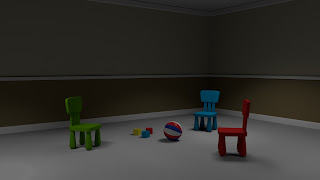
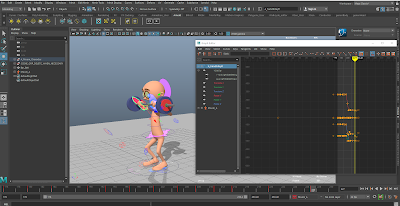
Posts

Showing posts with the label Maya Tutorials

Soft Bodies - Impressions in soft bodies

Image
 

Jetpack Jones - Texture Painting

Image
Texture Painting of the lower body. Made in both photoshop and mudbox Various head paintings - made in mudbox mainly

Jetpack Jones - Colours and Restrictions

Image
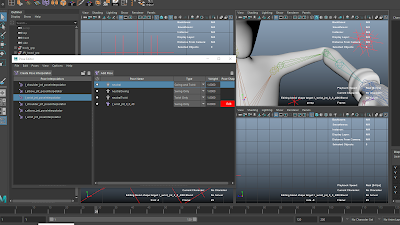
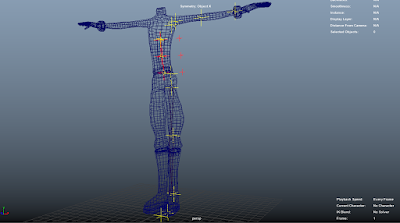
Controls have been coloured and the edit attribute window demonstrates how I was able to restrict the movements of certain controls and attributes. Complete controls and restrictions. The star represents the visibility control to adjust the visibility of all the controls.

Goal Moom Animation - 02/04/2020

Image
Moom goal animation with more poses inbetween the extremes and later shifted among the timeline to create a more fluid and characterful animation.

Jetpack Jones - Corrective Shapes

Image
Corrective shapes were made to the joints and mesh of the character so to appear more articulate and have less clipping with the limbs.  It also helped the character feel more organic. 

Jetpack Jones - Upper Body Weights

Image
Elbow Weights Torso weights. During this process I ran into an issue where the joints did not align with the mesh so i used the move skinned weights to correct them.

Facial Animation - 20/02/2020

Image
A more refined facial animation with more developed jaw pass and polished lip movements for better syncing.

Maya - Toolkit 2 - Jetpack Jones Rigging

Image
Finished Skeleton I created extra joints and later a script to make a dropoff effect when twisting and turning the wrist joint. The binding and skinning begins.

Jetpack Jones Skining 01

Image
The ribbon spline has been inserted and the areas where the skeleton will be made marked with locators.

Moom face rig experiments 01

Image
 Face Rig experiment by copying the expressions shown in the stock footage below. Note: I am afraid I do not know what happened to the video for the last second.

Moom weightlifting - Graph editor

Image

Fog and Atmosphere Lighting

Image
Fog off. Fog on.  Fog on now coloured differently and with the height adjusted.  Tree scene without atmosphere. Completed scene with AIatmosphere added. A gobo filter was added to the spotlight and giving a fractal as a texture to achieve the spotty, hazy lighting. 

AOV tests - Lighting and Arnold 2

Image
An edited rendered image that was created by using EXR files and composting them together in Adobe After Effects. Once together and seperated into their own layers I was able to edited specific parts of the character such as brightening the eyes using the linear colour key option in After Effects.

Subsurface Shader

Image
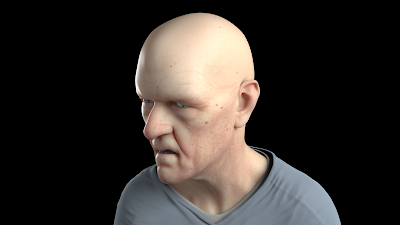
Finished render with effects adjusted correctly. However, there is an overabundance of red colouring. An ambient occlusion render. Photoshop combination of both renders to reduce the redness of the former image.

Toolkit 2 Links - 10/01/2020

Toolkit 2:  https://tedsuniblog.blogspot.com/search/label/toolkit%202 Animation:  https://tedsuniblog.blogspot.com/search/label/animation Arnold:  https://tedsuniblog.blogspot.com/search/label/Arnold Life Drawing:  https://tedsuniblog.blogspot.com/2019/11/life-drawing-week-3.html Character Design:  https://tedsuniblog.blogspot.com/search/label/character%20design

Maya In class activities - Settling Poses

Image
The settling were made in frames 220, 227, 232 and 236. They act to make Moom 'stand up' and come to rest. The graph editor was cleaned up to give Moom a smoother animation.

Motion Blur Lighting and Arnold 2

Image
The scene had a motion blur effect added in post-porduction in Adobe After Effects. Scene also had to be rendered in render sequence.

Depth of field - Lighting and Arnold 2

Image
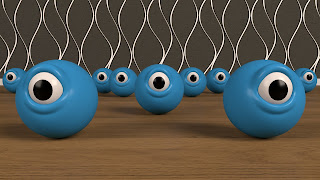
Render without any effects. A vingette was able to be added to the camera. Depth of field added. The aperture was adjusted to about 30' for the desired effect.

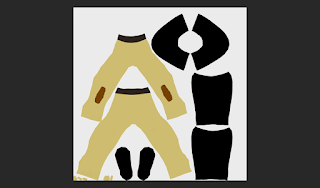
Stand ins - Lighting and Arnold 2

Image
Stand ins were created by importing the object, bringing in its bounding box and then duplicating it to achieve the effect seen on screen.

Photometric lights - Lighting and Arnold 2

Image
Used a special IES file to get the effect of the lighting. IES is a type of file that produces the lighting effect of a specific downlight.